
I’m hoping this is a pretty easy solve, but I’ve tried different menus, mappings, and Community posts with no luck yet.
When I answer an Assessment question, I want to attach Risks to it. This is not handled within the Assessment section; it’s apparently populated/connected elsewhere, and I can’t figure out where.
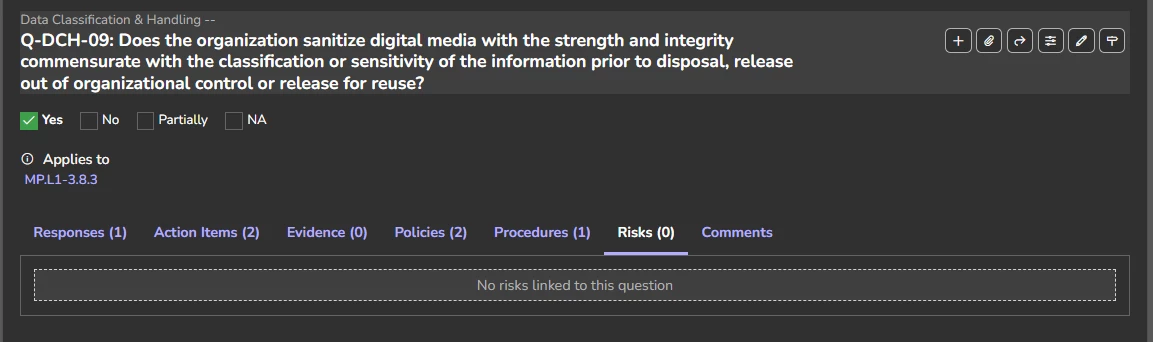
I’ve attached Risks to individual controls in the Controls section, I’ve tried clicking the “Attach” and “Edit” buttons on the assessment question (you can attach policies, procedures, etc. but not risks), I’ve tried mapping it via the Risk Register, I’ve tried looking at the tenant’s general settings, etc.
I’ll create a separate topic for this one, but similarly, I’m looking for all my previously uploaded Evidence to appear under the “Evidence” tab shown above. This is the same general type of issue/question as the Risks question. If I’ve mapped MP.L1 3.8.3 to this question like shown, it seems like any evidence should automatically appear here (the policies and procedures don’t auto-populate either, I connected them manually). What could be a perfect one-stop area for internal assessments showing all evidence, risks, etc., set up elsewhere is requiring a lot of manual repeat work from other completed sections.
